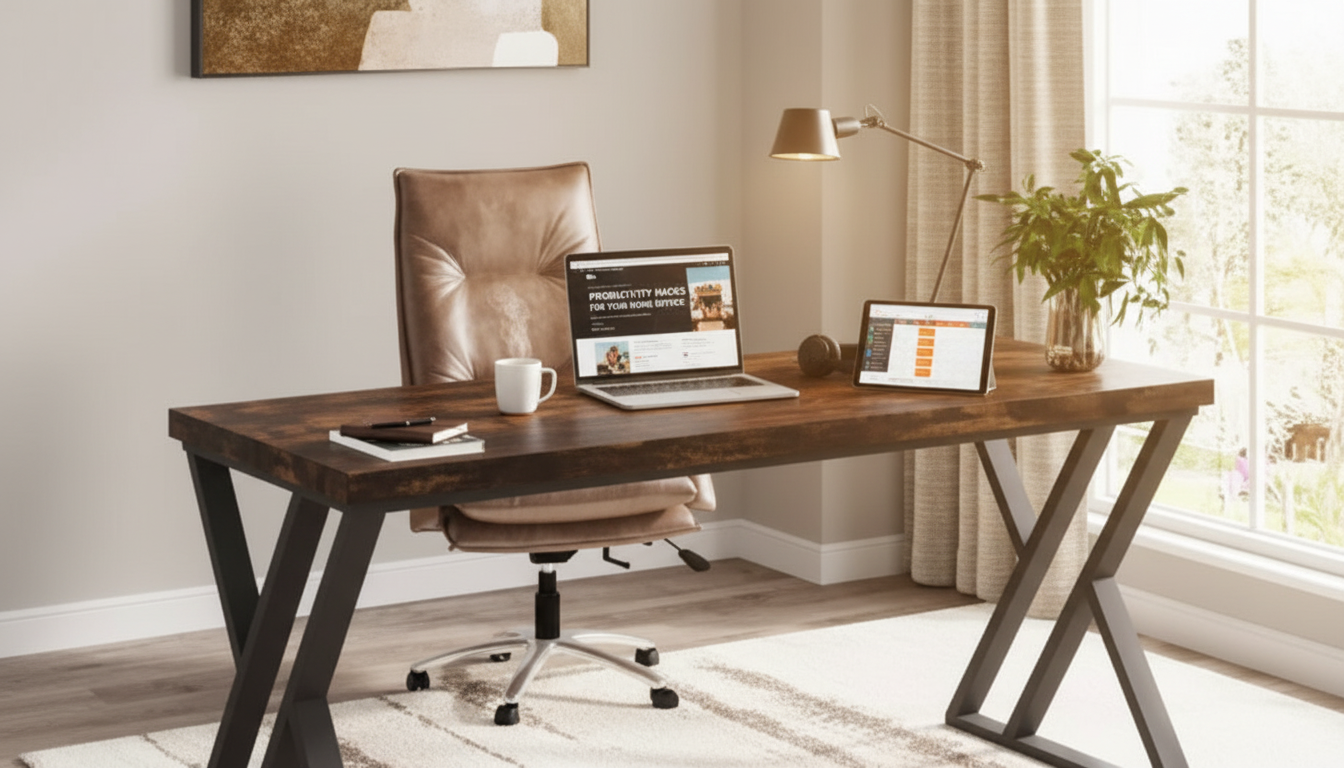
A roomy desktop and a stable frame can make long work sessions feel more organized and less cramped. This 55-inch heavy duty writing computer desk uses Z-shaped metal legs for a modern look and a planted stance, making it a practical choice for home offices, study corners, and multi-use rooms where a desk needs to handle daily wear.
What Makes This Desk Stand Out
- 55-inch work surface: Supports common setups like a laptop + monitor, dual monitors with a docking station, or a study layout with books and a task lamp.
- Z-shaped metal legs: Add visual edge while helping resist side-to-side wobble during typing and mouse use.
- Heavy-duty build: Suited for frequent use, from remote work to gaming sessions and homework routines.
- Clean-lined design: Pairs well with modern, industrial, and minimalist interiors without dominating a room.
If you’re upgrading from a smaller writing desk, the extra width is often what changes everything—more space to keep a notepad open, tuck a charger station to one side, and avoid stacking devices in a way that feels cluttered.
Best Use Cases for a 55-Inch Writing Desk
- Home office: Comfortable space for a monitor, keyboard, notebook, and a dedicated charging area.
- Student desk: Ample room for textbooks, planners, and a laptop without constant reshuffling.
- Creative corner: Works for light crafting, drawing tablets, or a small printer beside a computer.
- Gaming/streaming: Space for a larger display, mic arm clamp area, and controller accessories.
Because the surface is wide without being oversized, it’s an easy fit for shared spaces like a bedroom office or a living room workstation—especially when the goal is to keep gear contained to one clean footprint.
Fit Check: Room Size, Layout, and Clearance
- Measure the wall span: Leave walking clearance so the chair can slide back comfortably.
- Plan cable routing: Place the desk near an outlet; consider a surge protector mount or cable tray if using multiple devices.
- Think about light sources: Avoid monitor glare by placing the desk perpendicular to windows when possible.
- Confirm desk height + chair range: Forearms should rest roughly parallel to the floor while typing.
Quick Planning Checklist for a 55-Inch Desk Setup
| Item to Measure |
Suggested Minimum |
Why It Matters |
| Wall space for the desk |
At least 60 in (152 cm) |
Allows a little breathing room on each side for cords and décor |
| Clearance behind chair |
24–36 in (61–91 cm) |
Room to sit and stand without bumping into furniture |
| Leg room depth |
Check chair + knees |
Comfort for longer sessions and reduces awkward posture |
| Outlet distance |
Within 6 ft (1.8 m) |
Simpler cable management and fewer trip hazards |
| Monitor placement |
Arm’s length away |
Supports comfortable viewing for long work or study blocks |
Stability and Support: Why Z-Shaped Metal Legs Matter
- Angled leg geometry: Can improve perceived stability by reducing rocking during fast typing or gaming.
- Metal framing: Typically handles daily bumps and shifting loads better than lighter-duty builds.
- Confidence with heavier gear: Good stability is especially noticeable with monitor arms, heavier displays, or when leaning on the desk edge while writing.
- Floor-friendly setup: For sensitive flooring, add protective pads or a thin mat to prevent scuffs and keep the desk level.
Stability isn’t just about the desk “feeling solid”—it also helps protect your gear. A steadier surface can reduce screen shake, keep a mic stand from drifting, and prevent cables from tugging devices when you reposition a keyboard or slide a laptop stand.
Comfort and Ergonomics Basics for Long Sessions
- Monitor height: Set the top of the screen near eye level to reduce neck strain; use a riser if needed.
- Neutral wrists: Keep wrists straight while typing and mousing; consider a keyboard tray only if it helps maintain alignment.
- Lower-body support: Keep feet flat on the floor (or a footrest) and aim for hips and knees near 90 degrees.
- Micro-breaks: Take short breaks and adjust posture regularly—desk comfort is a setup decision, not just a furniture decision.
For additional workstation guidance, reference OSHA’s Computer Workstations eTool and the NIOSH Ergonomic Guidelines for Computer Workstations. These resources help fine-tune monitor position, chair adjustments, and reach zones so the desk surface gets used efficiently.
Care, Maintenance, and Everyday Durability Tips
At-a-Glance Product Details
You Might Also Like (In Stock)
FAQ
Is a 55-inch desk wide enough for two monitors?
Yes for many setups. Two typical monitors plus a keyboard and mouse generally fit, especially if monitors are on stands or a dual arm. Measure the total monitor width (including stands) and leave a little space for writing or accessories.
Do Z-shaped metal legs help with wobble?
They can. The angled design often improves side-to-side rigidity compared with simpler straight-leg frames, but overall stability also depends on assembly tightness, floor level, and how weight is distributed on the desktop.
What’s the easiest way to protect floors under a metal-leg desk?
Use felt pads or non-slip furniture feet. If you’re on carpet, a chair mat can help the chair roll smoothly and reduce shifting during everyday use.
Recommended for you







Leave a comment